 Kawaii REC
Add reverb where you need it
Open Hall directly from a track or the mixer FX menu. Adjust it while keeping the channel in view.
BLACK FRIDAY & CYBER MONDAY
Record, edit and mix in your browser. Kawaii REC Pro includes Kawaii Hall, a reverb that adds depth to your voice.


With Hall
Kawaii REC ProUS$100Lifetime license
Limited-time USD offer
– (Japan time)
NEW REVERB
Add depth with a reverb tail while keeping the voice clear.
Choose from five spaces for songs and spoken lines.
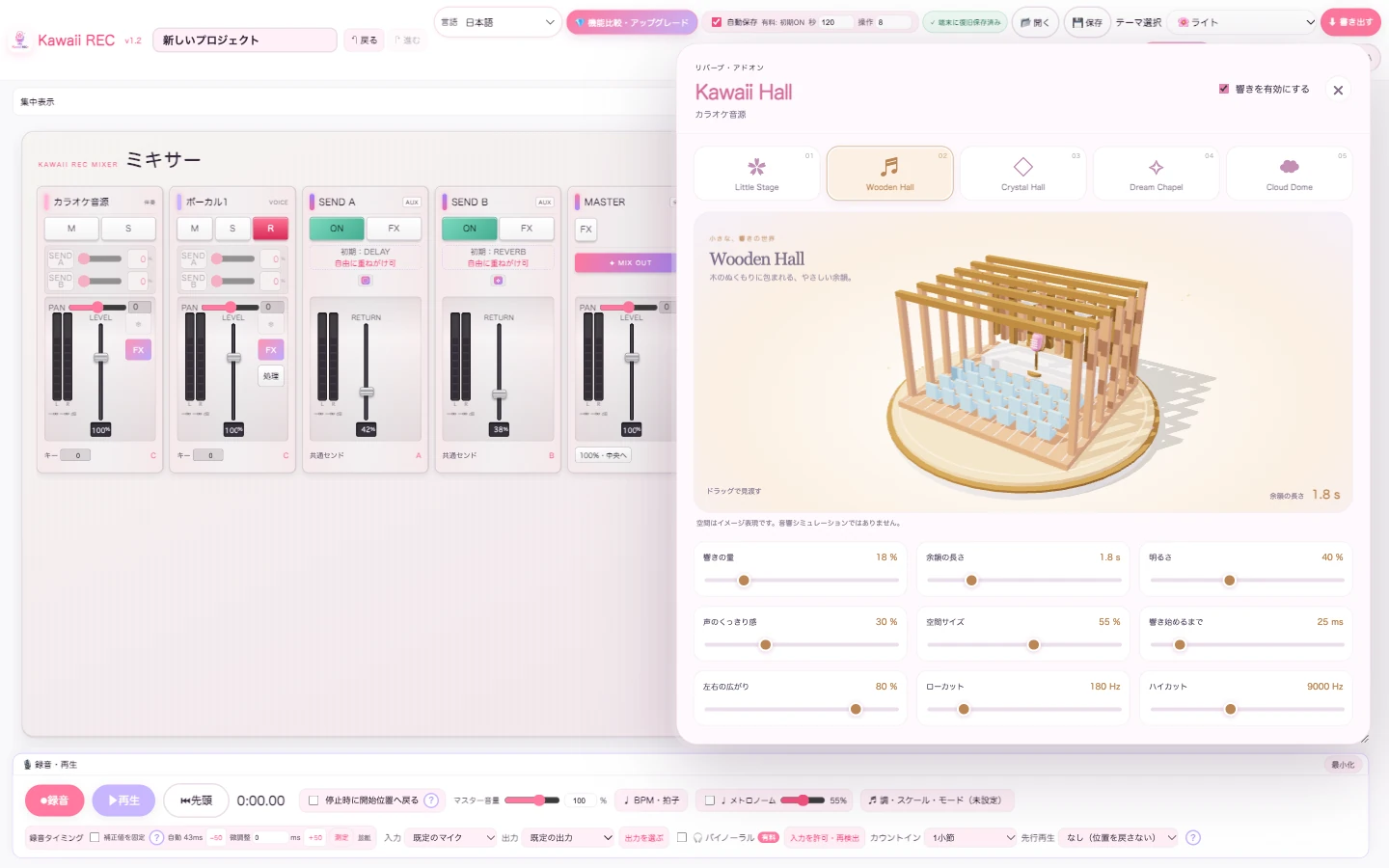
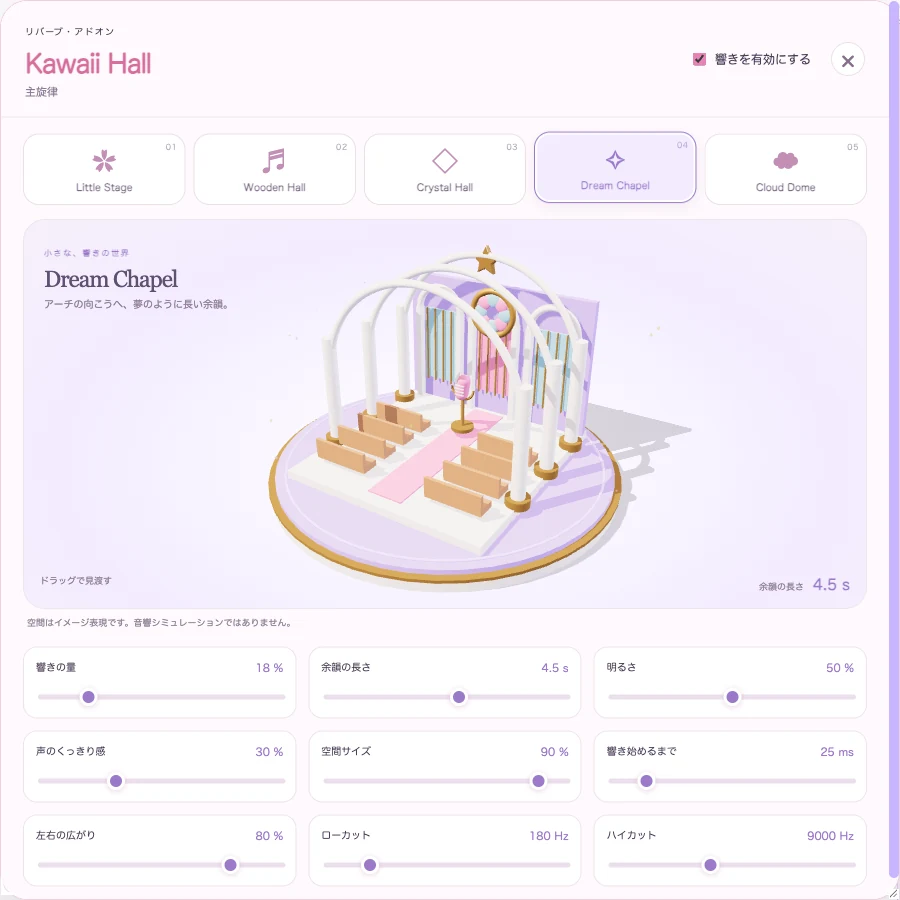
Open Hall directly from a track or the mixer FX menu. Adjust it while keeping the channel in view.
Pick a preset, then adjust amount, decay and brightness during playback. Listen for a sense of distance in dialogue and depth in vocals.
Your settings are saved with the project and applied on export. You can use these features with a standalone Hall license.
BLACK FRIDAY & CYBER MONDAY
For cover songs, voice work and auditions. Choose what fits your recording workflow.
Core lifetime license
US$110US$80
Remove the track limit and unlock premium core tools such as pitch and timing correction.
Choose Kawaii REC ↗Core app and two add-ons, one purchase
US$160US$100
All three remain part of the bundle after the sale.
What Pro can do Choose Kawaii REC Pro ↗Standalone reverb, lifetime license
US$60
Add space and depth to your voice. Purchase a lifetime Hall license with a card through Stripe.
Buy Kawaii Hall ↗The two sale prices are in USD. Kawaii REC and Pro have the same sale prices for personal use and gift codes. The ZEN University price (Pro for ¥6,000) applies to eligible personal purchases in JPY.
Buy a gift code ↗KAWAII REC PRO
Polish the melody of a cover or make spoken lines clearer.
Record, edit and shape vocals and voice-over in the browser.
Drag notes vertically for pitch and horizontally for timing. Listen to lead and harmony parts while keeping the character of your performance.
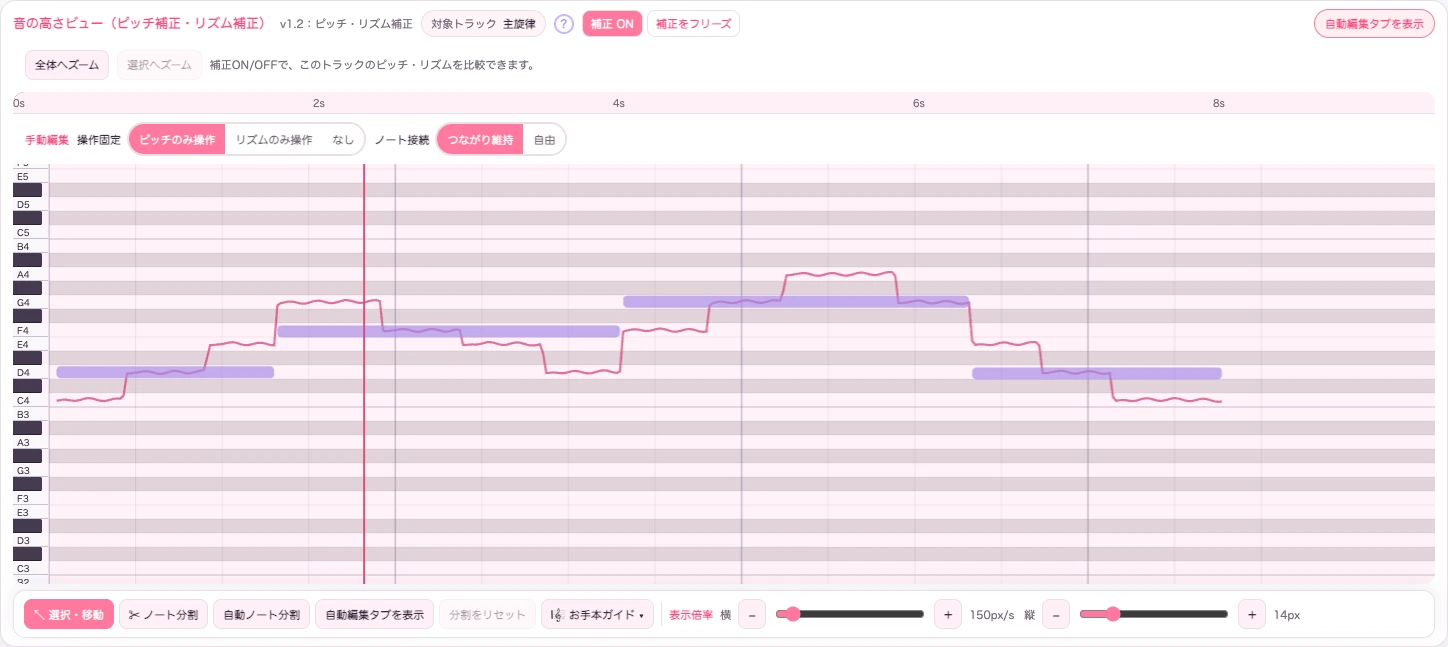 Pitch editor Enlarge ↗
Combine EQ, compression and more in Effects Rack FULL. Bring out a vocal or give a spoken line more presence.
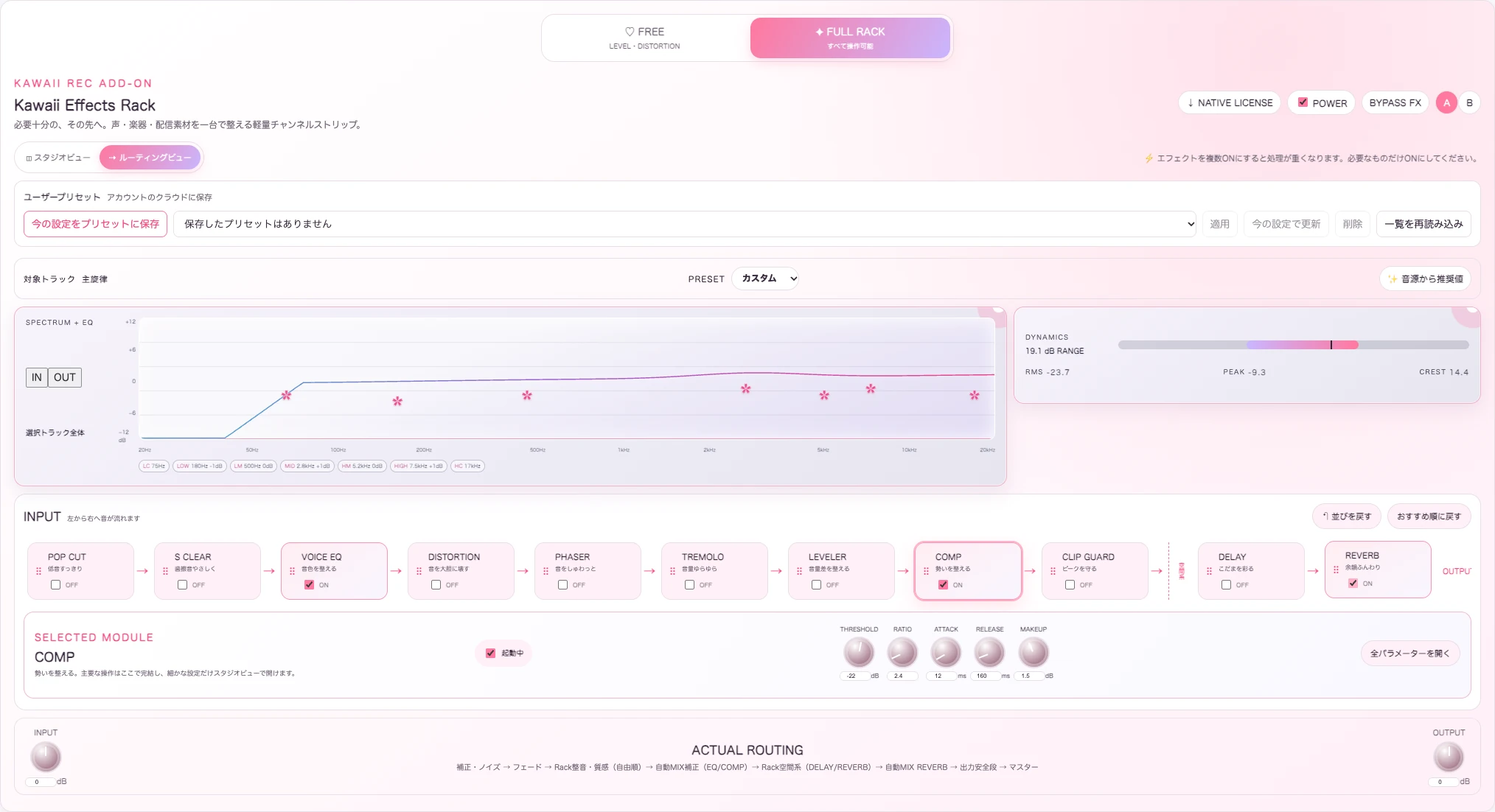 Effects Rack FULL Enlarge ↗
Record a phrase a few times, then select the best waveform ranges. Build one take from them and keep the originals.
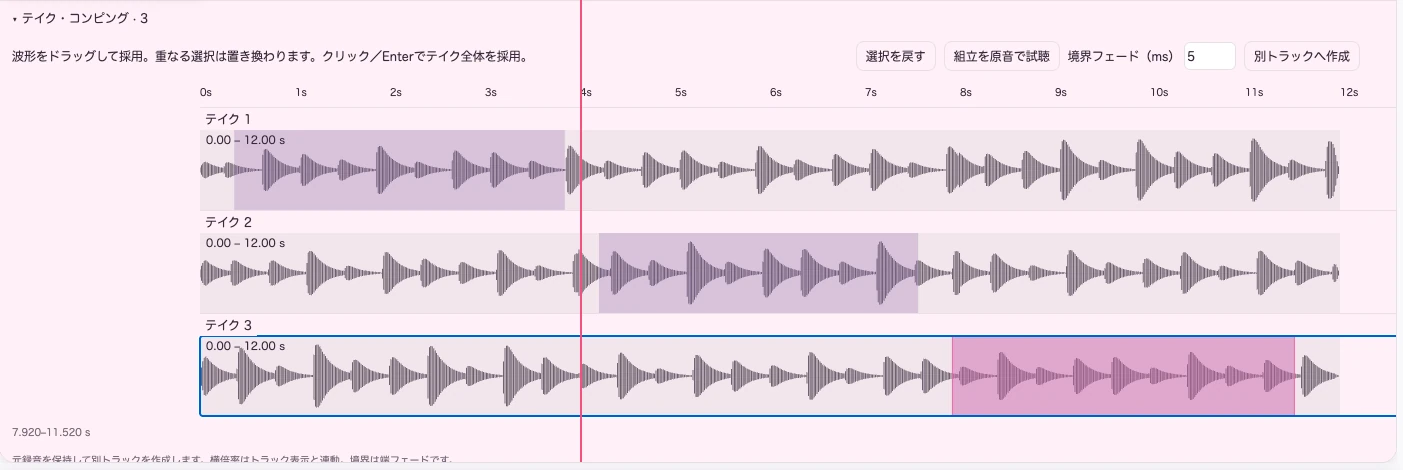 Take comping Enlarge ↗
Choose background, mouth or sibilance reduction on the track. Adjust the strength while listening to keep the voice clear.
 Noise reduction Enlarge ↗
Pick from six classic and six Halloween palettes. Use the theme menu in the header to change your recording workspace.
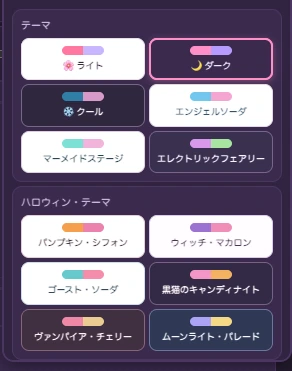 Theme menu Enlarge ↗
Open Kawaii REC in a supported browser to import backing tracks, record, edit, mix and export. Start a song cover or voice recording right away.
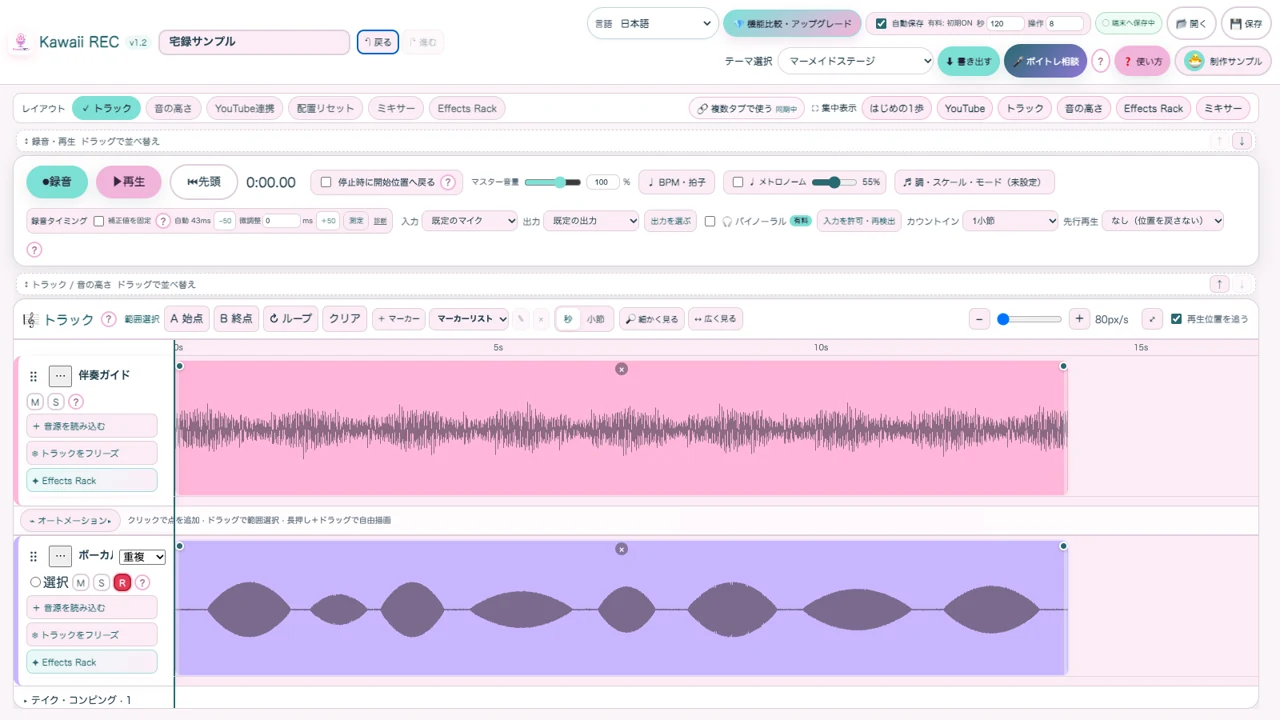 Browser recording and editing Enlarge ↗
Screenshots show the desktop browser app with demo audio. Pitch and timing correction are available on desktop.
See the Pro lifetime priceBROWSER RECORDING STUDIO
Import a backing track and record a song or dialogue. Edit takes by waveform, balance the levels and reverb, and export your audio.
Start recording for free ↗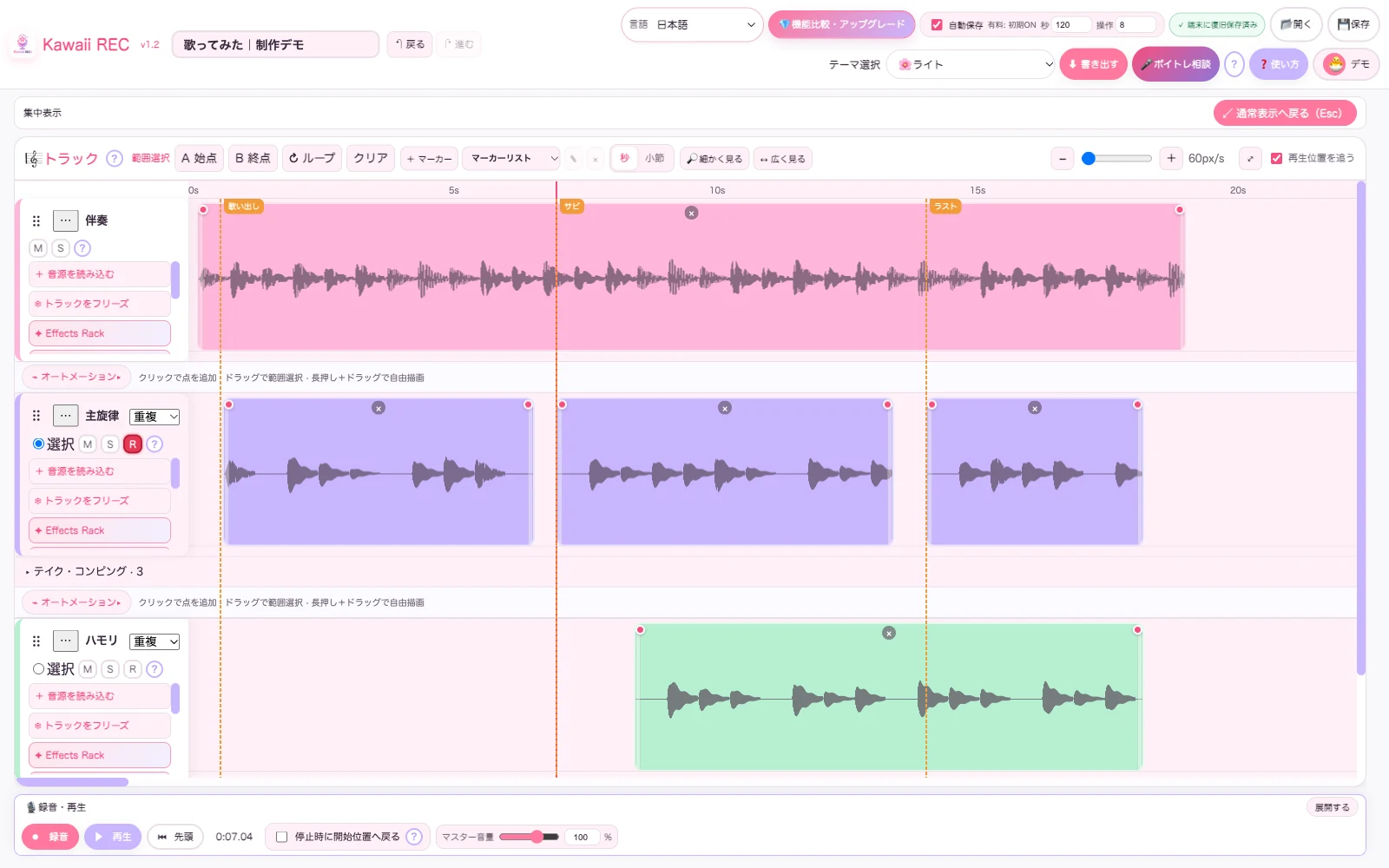
FAQ
Place new sale orders by December 3, 2026, at 23:59 Japan time. For orders already placed, check the deadline shown by your payment provider.
During the sale, open the gift code purchase screen and choose Kawaii REC (US$80) or Pro (US$100). After paying, share the code from your purchase history. Redeeming a Pro code also unlocks Kawaii Hall.
Yes. Pro includes a Kawaii REC lifetime license, Effects Rack FULL and Kawaii Hall after the sale as well. You can also buy Hall separately for a one-time payment of US$60.
Yes, if a payment before the sale can be verified, even if you have canceled. Free trials, free codes and standalone Effects Rack purchases do not qualify. Sign in with the account used for the purchase to check.
Choose Kawaii Hall on a track or from the mixer FX menu. Save your work and reload to get the latest interface.